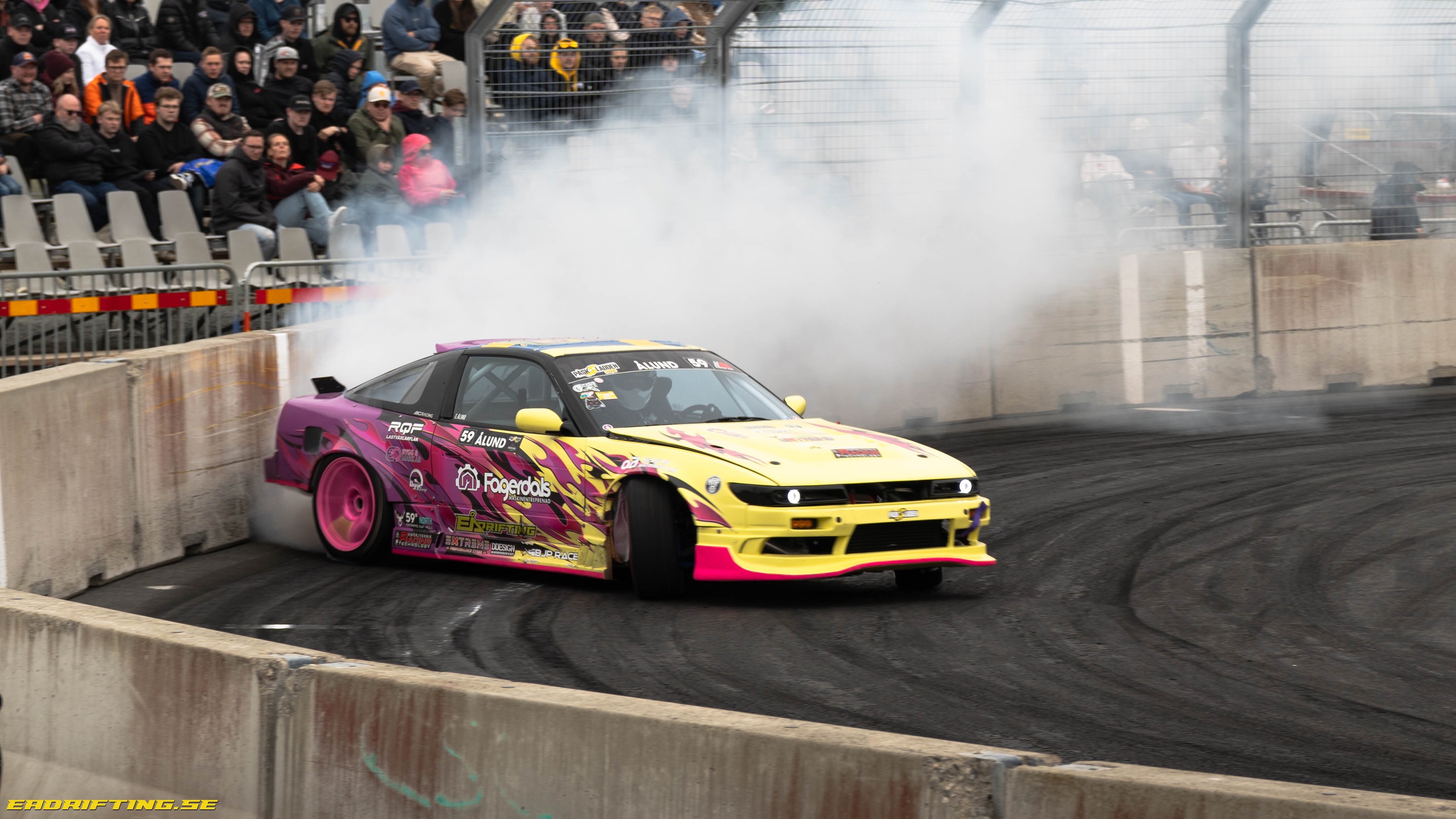
Under fjolårets SM-säsong gjorde Elias Ålund tävlingsdebut. Med en stabil körning under seriens tre deltävlingar säkrade han till slut en femteplats och därmed säsongens bästa rookie.
Elias har haft bilen sedan 2018 och körningarna kom igång runt 2021 med den. Primärt så var det frikörningar fram till 2024 då det skulle tävlas. Teamet gick in direkt i SM-serien med en bra satsning som räckte långt. Med en vinst i sista deltävlingen på Tierp Arena så landade Elias på en fin femteplats i mästerskapet med det ändå stabila startfältet.
Bilen han kör är en Nissan S13 med PS13 front. Förebilden är Tor Arne Kvia, både vad gäller setup och körstil. Motorn är en turbomatad V8 som är kopplad till en Samsonas fyrväxlad låda och avslutas med en Winters quickchange diff. Hjulupphängningen består BC-coilovers och Wisefab-komponenter fram och bak. Dessa har sällskap av en HGK sub-frame. Under vintern så har också karossen riktats och sömnsvetsats. Åtskilliga timmar har lagts av teamet för att stå redo för den kommande säsongen med i bil i toppskick.
Till dessa chassien finns det mesta att uppbringa i olika prisklasser och teamet har kikat mycket på de snabbaste förarna i Europa som åker S13 och är konkurrenskraftiga på allra högsta nivån.
Bilen är väldigt uppseendeväckande med skarpa färger och en genomtänkt livery. Inspirationen kommer från Irland och Japan och den sticker verkligen ut på ett bra sätt i startfältet.
När vi pratar med Elias så är det dagen efter kvalet på Påsksladden och han är mycket glad att få vara en del av den prestigefyllda tävlingen efter sin debutsäsong och få chansen att möta de bästa förarna i Sverige. I och med att mycket bytts på bilen så betedde den sig annorlunda mot förra säsongen. På en testdag på Tierp Arena så lirade allt bra även om den verkligen kändes annorlunda, men på Elmia så stökade det till sig i hjulupphängningen. Med mer hjulrörelser och den nya Wisefab V2 framvagnen som flyttade bak framhjulet i hjulhuset så kunde hjulet ta i och låsas på den något ojämna banan på Elmia. Detta resulterade i ett par snurr i kvalet och Elias fick inte tävla om den prestigefyllda titeln i år. Detta kändes naturligtvis mycket tråkigt för teamet.
Säsongen 2025 kommer fokuseras på att lära känna bilen på nytt och få fram en bra set up. Det planeras för några fristående event med god publicitet och inte någon serie. Bland annat finns en inbjudning till en tävling i Finland men tid och ekonomi kommer få styra vilka event som teamet satsar på i år. Som avslutning tackar han alla som hjälpt honom för att komma till start denna säsong.
Text: Mattias Laago
Foto: Mattias Laago, Dennis Flink, Robban Strandberg
Källa: Motorsportmagazinet.se
Visa hela nyhet
Av
EADrifting, · Postad